
What is the Bluebook SAT app?
Bluebook is the official College Board application used to take the Digital SAT, PSAT, and AP Exams online. On exam day, it locks your device into a monitored kiosk environment — preventing access to other applications — and administers the two-module adaptive test with a built-in Desmos Graphing Calculator and live timer.
Bluebook is available for Windows, Mac, iPad, and school-managed Chromebooks. It also provides 8 official full-length practice tests you can take at home. For a full breakdown of what the Digital SAT tests, see our guide: What's on the SAT? Complete section-by-section guide →
The problems start when you look at exactly how you get it running — especially on a Chromebook.
Why students look for a Bluebook alternative
Pain #1: Chromebook install requires your school's IT admin
According to the official Bluebook Chromebook documentation, the app only runs on school-managed devices. It cannot be installed on a personal Chromebook. Installation requires a school IT administrator to:
- Sign into the Google Admin console at
admin.google.com - Navigate to Devices → Chrome → Apps & Extensions → Kiosks
- Add the Bluebook application URL and a custom Extension ID
- Enable "Verified Mode Boot" — a security setting that must be configured per organizational unit
- Paste a College Board email address into a "Services with full access" field
- Verify the install on individual devices and check that lower organizational units inherited the setting
Source: College Board, How to Install Bluebook on Chromebooks
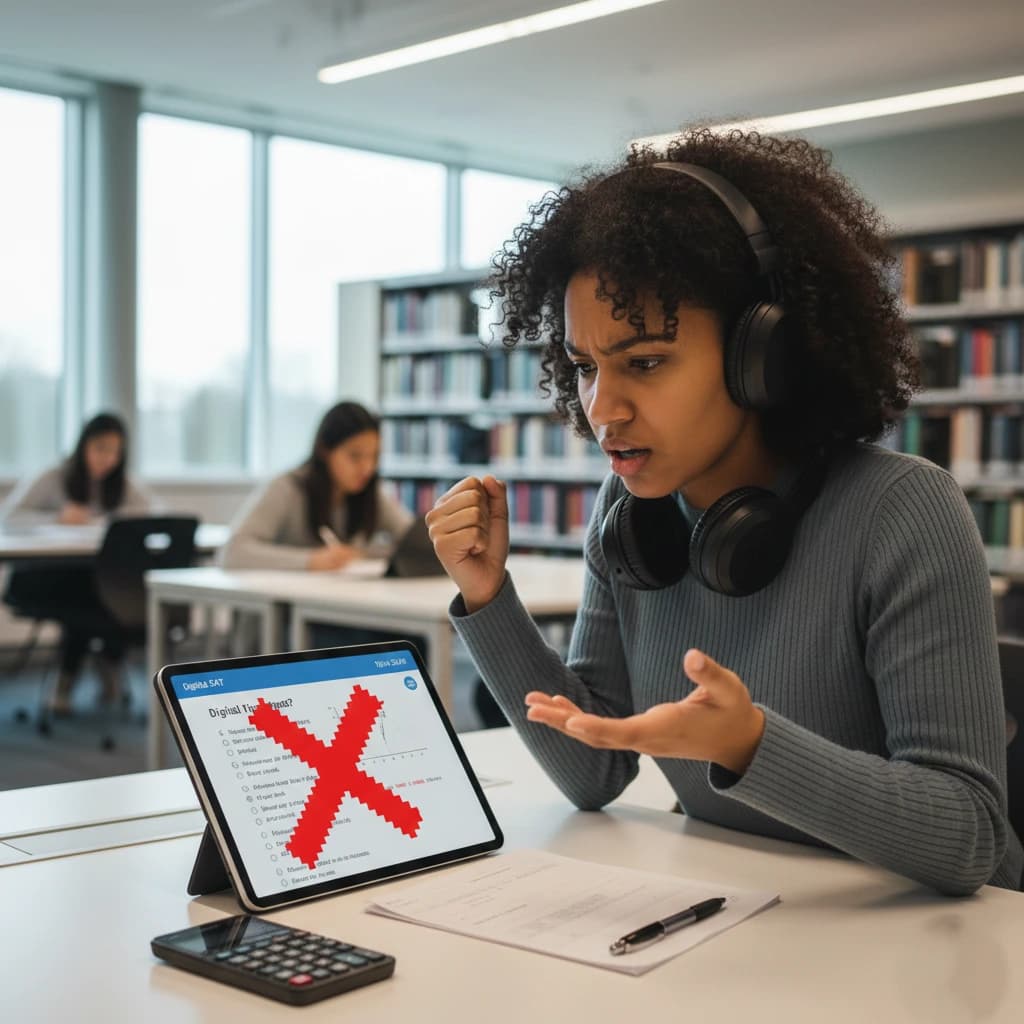
What students see when Bluebook hasn't been set up by their school admin.
Pain #2: Kiosk mode disables your accessibility settings
The College Board explicitly states that in kiosk mode, students cannot use their custom accessibility settings. The floating accessibility menu must be separately enabled by the admin. If a student relies on display zoom, contrast, or other system-level accessibility features, they have to request that the IT admin configure each feature individually for each organizational unit.
Source: College Board, Accessibility Features in Chromebook Kiosk Mode
Pain #3: Bluebook tells you your score. It doesn't tell you why.
After a Bluebook practice test, you get a score and a list of questions you got wrong. That's it. There is no per-question timing data, no subtopic breakdown, no pacing analysis, and no cross-test trend chart. You know you scored 1280. You don't know if you lost those points rushing through easy Algebra questions or by freezing on Advanced Math at the end.
Our SAT Score Calculator and post-test analytics show you exactly which modules and subtopics are dragging your score down — so your next study session has a real target.
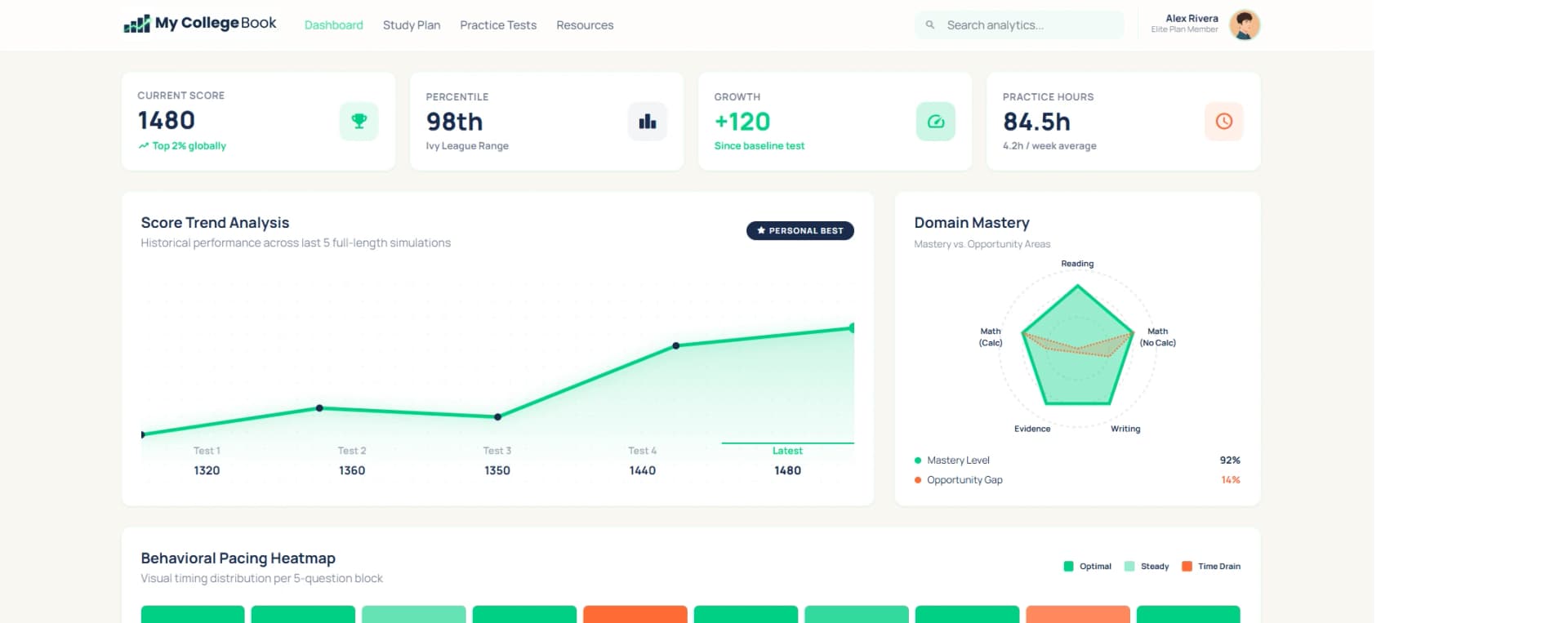
MyCollegeBook analytics: per-question timing, subtopic accuracy, and pacing trends — not available in Bluebook.
Bluebook vs MyCollegeBook — side by side
Both platforms simulate the Digital SAT. Here's how they compare on what actually matters for practice.
| Feature |  Bluebook™ Bluebook™ |  MyCollegeBook MyCollegeBook |
|---|---|---|
| Requires download / install | ✗ Yes (mandatory) | ✓ No — browser only |
| Works on personal Chromebook | ✗ No — admin-managed only | ✓ Yes, any Chromebook |
| Works on any device | Windows, Mac, iPad, managed Chromebook | ✓ Any browser on any device |
| Adaptive 2-module format | ✓ Yes | ✓ Yes |
| Integrated Desmos calculator | ✓ Yes (Math modules) | ✓ Yes (Math modules) |
| Locks your screen during practice | ✓ Yes (kiosk mode) | ✗ No — open browser |
| Post-test question breakdown | ✓ Correct / Incorrect | ✓ Correct / Incorrect + time per question |
| Subtopic performance analysis | ✗ Not provided | ✓ Included |
| Score trends across test attempts | ✗ Not provided | ✓ Included |
| Pacing analytics (time per question) | ✗ Not provided | ✓ Included |
| Number of full practice tests | 8 (Official College Board) | 5 (Adaptive, original content) |
| Can pause and resume | ✓ Yes | ✓ Yes — auto-saves state |
| Price for practice | Free | Free (1 test) / $9.90 one-time |
*Comparison based on publicly available information. Bluebook™ is a trademark of College Board.
What MyCollegeBook does differently
Single-click start
No download. No admin approval. No kiosk config. Open a browser, log in, and your full-length adaptive SAT test starts in under 10 seconds — on any device your school allows.
Pacing & timing analytics
See exactly how long you spent on every question. Identify where you rushed, where you froze, and which question types drain your clock. Bluebook doesn't show you this.
Score trends across attempts
Retake any test and see your score history plotted over time. Subtopic analysis shows whether your Algebra is climbing while your Advanced Math lags — so every study session has a target.
The Bluebook interface, minus the blockers
MyCollegeBook replicates the exact Bluebook layout — the split-screen passage view, the Mark for Review flag, the question navigator, the top-bar timer, and the integrated Desmos Graphing Calculator for all Math questions. Students who practice here report test day feels like "just another session."
Take a Free SAT Practice TestSetup time
 ~45 min (IT admin)
Devices supported
Managed onlyScore insights
Score + answer keyWho should use a Bluebook alternative?
Students on a personal Chromebook
Your school's Chromebooks might have Bluebook. Your personal one doesn't, and it can't. MyCollegeBook works on both.
Students preparing at home on any device
iPad, MacBook, Windows laptop, Android tablet — if it has a browser, it runs MyCollegeBook.
Students who want to understand why they're losing points
Knowing you got 72% on Math isn't a study plan. Knowing you spent 4 minutes on Q4 and rushed Q18-22 is.
Students retaking the SAT
If you've already taken the real test, you know your score. What you need is a clear picture of which modules and subtopics to target. That requires deeper analytics than Bluebook offers.
Frequently asked questions about Bluebook
What is the Bluebook app?
Do I need to download Bluebook for SAT practice?
Can you download Bluebook on a personal Chromebook?
Can you download Bluebook on an iPad?
Can you download Bluebook on Mac?
Does Bluebook lock your computer?
Does Bluebook need WiFi?
Does Bluebook have Desmos?
Can I pause a Bluebook practice test?
Can I retake Bluebook practice tests?
Ready to practice smarter?
Take one full-length SAT practice test free — the same adaptive format as test day, in your browser, right now. Your first score report is waiting.